
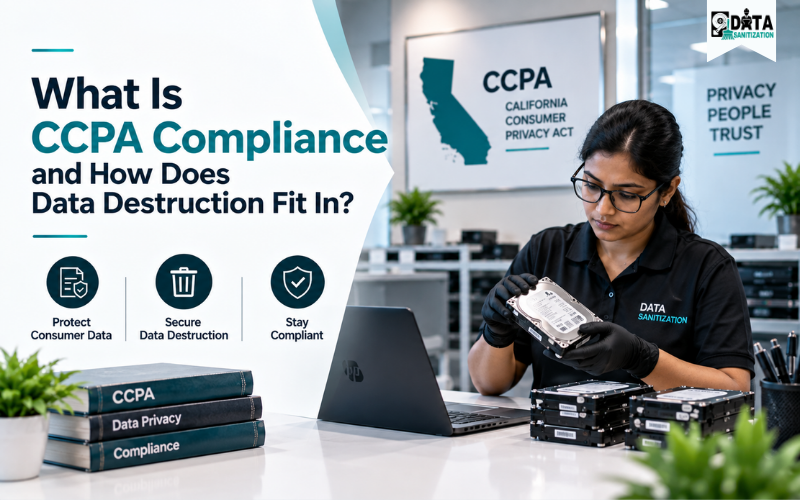
Businesses that collect or process personal information from California residents need to understand their responsibilities under the California Consumer Privacy Act (CCPA).
But CCPA compliance is not only about having a privacy policy or answering consumer requests. Businesses also need to understand what personal information they hold, where it is stored, how it is used, how long it should be retained and what happens when information needs to be deleted.
This becomes especially important when personal information exists on hard drives, SSDs, laptops, servers, backup devices, USB drives, mobile devices and other storage media.
Deleting a record from an application does not automatically mean that every copy of the information has been addressed.
That is why CCPA data deletion, data sanitization and consumer data destruction can be important parts of a broader data lifecycle and IT asset management process.
Quick Answer: What Is CCPA Compliance?
CCPA compliance means meeting the applicable California privacy requirements that govern how qualifying businesses collect, use, disclose, retain and protect consumers’ personal information.
California consumers have rights that include the right to:
- Know about personal information collected about them
- Delete personal information, subject to exceptions
- Correct inaccurate personal information
- Opt out of certain sale or sharing of personal information
- Limit certain uses of sensitive personal information
- Receive equal treatment when exercising applicable privacy rights
The current California framework and regulations are effective from January 1, 2026.
For businesses, one practical question is:
When personal information needs to be deleted, how is that information handled across databases, devices, storage media and third-party systems?
This is where professional data sanitization services can become part of a broader privacy and IT asset management strategy.
What Is the CCPA?
The California Consumer Privacy Act is California’s major consumer privacy law covering certain businesses that collect and process personal information about California residents.
The law gives qualifying consumers important privacy rights and creates obligations for businesses around transparency, consumer requests, data handling and privacy controls.
The California Privacy Rights Act (CPRA) amended the CCPA and introduced additional privacy protections, including requirements relating to sensitive personal information.
However, CCPA applicability is not identical for every company. Businesses should determine whether they meet the applicable statutory criteria rather than assuming that every organisation has the same obligations.
Key CCPA Compliance Requirements
A practical CCPA compliance program should cover several areas.
1. Consumer Privacy Rights
Businesses need processes for handling applicable requests to know, delete, correct and exercise other privacy rights.
2. Transparency
Organisations should clearly explain what personal information they collect, how it is used and applicable disclosures.
3. Data Inventory
A business should know what personal information it holds and where that information exists.
4. Sensitive Personal Information
Businesses should identify and appropriately handle sensitive personal information covered by applicable CCPA requirements.
5. Service Providers and Contractors
Businesses should manage applicable service providers and contractors that process personal information on their behalf.
6. Data Security
Appropriate safeguards should be used to protect personal information throughout its lifecycle.
This means privacy compliance is not just a legal-document exercise. It also involves practical controls across systems, people, applications and IT assets.
What Is CCPA Data Deletion?
CCPA data deletion refers to responding to an applicable consumer request to delete personal information, subject to statutory exceptions.
Under the current CCPA regulations, a business generally must permanently and completely erase applicable personal information from its existing systems, with specific treatment for archived or backup systems and other applicable exceptions.
This can create a practical challenge because personal information may exist across:
- Customer databases
- CRM systems
- Cloud platforms
- File servers
- Laptops
- Desktop computers
- HDDs
- SSDs
- Backup systems
- USB drives
- Archived systems
- Retired IT equipment
Therefore, an effective CCPA data deletion process should start with a clear understanding of where relevant personal information exists.
Does CCPA Require Physical Data Destruction?
Not in every situation.
The CCPA does not simply require every business to physically destroy every computer, hard drive or SSD.
The focus is on applicable personal-information rights and obligations, including deletion, while considering statutory exceptions and retention requirements.
However, physical media becomes important when devices containing personal information are leaving an organisation’s control.
For example, imagine an old laptop containing customer information is being sold or recycled. Removing visible files may not be enough for the organisation’s media-disposal process.
An appropriate data sanitization or destruction method should be selected according to the storage technology, security requirements and intended disposition.
Our hard drive disposal guide explains the difference between ordinary deletion, secure wiping and physical media destruction.
Data Deletion vs Data Destruction
These terms are related but are not identical.
Data Deletion
Data deletion generally means removing information from a logical system such as a database, application, account or file system.
Data Destruction
Data destruction or media sanitization focuses on making information inaccessible from physical storage media through an appropriate technical or physical method.
For example:
Customer record removed from CRM → logical data deletion
Retired SSD securely sanitized → media sanitization
Both can be relevant to a complete data privacy compliance strategy.
What Should a CCPA Data Destruction Process Include?
A strong process connects privacy requirements with IT asset management.
Step 1: Identify the Data
Determine what personal information exists and which systems or devices contain it.
Step 2: Review Retention Requirements
Before deleting information, check whether any applicable legal, contractual, regulatory, accounting, security or litigation requirement requires continued retention.
Step 3: Identify Storage Media
Determine whether information exists on HDDs, SSDs, servers, SAN/NAS systems, backup drives, USB devices, mobile devices or other media.
Step 4: Select the Right Sanitization Method
The method should match the storage technology, sensitivity of the information and intended disposition.
Step 5: Verify the Process
Where appropriate, verify that sanitization was completed successfully.
Step 6: Document the Activity
Maintain appropriate information such as asset ID, serial number, date, method, verification status and final disposition.
Step 7: Control Final Disposition
After sanitization, equipment can be reused, resold, recycled or physically destroyed according to organisational policy.
Why NIST SP 800-88 Matters
Businesses looking for technical guidance for secure data erasure can use NIST SP 800-88 Rev. 2 as an important reference.
NIST defines media sanitization as a process that makes access to target data on media infeasible for a given level of effort. Rev. 2 was published in September 2025 and replaced Rev. 1.
The current guidance focuses on establishing an organisational media-sanitization programme and selecting appropriate techniques and controls based on information sensitivity.
Importantly:
NIST SP 800-88 is not a CCPA regulation.
It is technical guidance that can help organisations develop a structured and defensible media-sanitization process.
Read our NIST 800-88 data destruction standards guide for more information.
HDD vs SSD Data Destruction
Different storage technologies may require different approaches.
HDD Data Sanitization
Traditional magnetic hard drives can be sanitized when reuse is appropriate or physically destroyed when the media is not suitable for reuse.
Our HDD data sanitization services provide a dedicated option for organisations handling retired HDDs.
SSD Data Sanitization
SSDs use flash storage and controller technologies that make simplistic overwriting approaches unsuitable in some circumstances.
The sanitization method should therefore be selected according to the specific SSD and its intended disposition.
Our SSD data sanitization services support secure handling of retired solid-state storage.
What Should You Expect From a CCPA Data Destruction Provider?
When choosing a CCPA data destruction service, businesses should look beyond price.
Consider whether the provider offers:
- Asset-level tracking
- Secure chain of custody
- Media-specific sanitization
- Verification
- Detailed reporting
- Certificate of Destruction
- Controlled final disposition
- Appropriate service-provider or contractor controls
Every device should be identifiable throughout the process.
This becomes particularly important when old IT equipment is being transferred to a third party.
Certificate of Destruction and CCPA Documentation
A Certificate of Destruction can provide useful evidence that identified assets were processed.
Depending on the project, records may include:
- Asset ID
- Serial number
- Device type
- Storage type
- Sanitization method
- Processing date
- Verification status
- Destruction status
- Final disposition
However, a certificate alone does not make a business CCPA compliant.
It should be part of a wider privacy and security programme that includes data inventory, deletion procedures, retention policies, contracts and appropriate safeguards.
Data Sanitization Pro for CCPA Data Destruction
For organisations managing large numbers of storage devices, dedicated data sanitization software can help make the process more structured.
Data Sanitization Pro is a Made in India data sanitization software platform designed for enterprise, government, healthcare, defence and ITAD environments.
Its documented capabilities include HDD and SSD sanitization, NVMe and removable-media support, simultaneous multi-device sanitization, verification, real-time monitoring, device information, audit trails and PDF/HTML reporting.
For IT teams, these capabilities can help create a more structured workflow for data wiping, verification, asset information and reporting.
Learn more about Data Sanitization Pro.
Common CCPA Data Deletion Mistakes
1. Assuming Delete Means Destroy
Removing a record from an application does not automatically address every copy on physical media.
2. Ignoring Backup Systems
Backup and archived systems can contain historical copies of personal information and may require separate treatment.
3. Forgetting Third-Party Processors
Personal information may also exist with service providers and contractors.
4. Using One Method for Every Device
HDDs, SSDs, servers and removable media may require different approaches.
5. Sending Devices Directly to Recycling
E-waste recycling is not automatically the same as secure data destruction.
6. Failing to Track Assets
Without asset-level records, it can become difficult to demonstrate what happened to individual storage devices.
7. Ignoring Retention Requirements
A deletion request does not automatically override every applicable legal retention obligation.
CCPA Data Destruction Checklist
Before retiring IT equipment containing California consumer information, ask:
- Does the CCPA apply to the organisation?
- Has the relevant personal information been identified?
- Has the applicable deletion requirement been reviewed?
- Are retention obligations understood?
- Have service providers and contractors been considered?
- Has the storage technology been identified?
- Is the sanitization method appropriate?
- Is each asset tracked?
- Has sanitization been verified where appropriate?
- Has the activity been documented?
- Has final disposition been recorded?
How Data Sanitization Supports CCPA Compliance
Data Sanitization provides professional data sanitization and data destruction services for organisations that need secure handling of retired storage media.
Services include:
- HDD data wiping
- SSD data sanitization
- Server data wiping
- SAN/NAS sanitization
- USB and flash storage wiping
- Mobile device sanitization
- Physical media destruction
- Degaussing for suitable magnetic media
- Onsite data sanitization
- Asset tracking
- Verification and reporting
- Certificate of Destruction
For larger infrastructure projects, our data center decommissioning services can help combine server retirement, storage sanitization, asset tracking and final disposition.
Conclusion
CCPA compliance is about more than privacy policies and consumer requests.
Businesses need to understand what personal information they hold, where it exists, how long it should be retained and how it should be handled when deletion is required.
For IT teams, one of the most important distinctions is between logical data deletion and physical media sanitization.
Deleting a customer record from a database does not automatically address information stored on a retired hard drive, SSD, backup device or other physical media.
A stronger process connects:
Data Inventory → Retention Review → CCPA Data Deletion → Media Sanitization → Verification → Documentation → Final Disposition
Businesses should also consider applicable service providers and contractors when building their deletion and data-destruction processes.
For professional consumer data destruction, secure data erasure, HDD and SSD sanitization and IT asset disposal, Data Sanitization provides media-specific solutions designed around controlled data destruction and documentation.
Website: www.datasanitization.in
Email: support@datasanitization.in
Phone: +91-852-770-9690
Disclaimer: This article provides general educational information and is not legal advice. CCPA/CPRA applicability and obligations can depend on the organisation, processing activities, statutory criteria, exemptions, contracts and circumstances. Organisations should consult qualified privacy or legal professionals for advice about their specific obligations.
Frequently Asked Questions
What is CCPA compliance?
CCPA compliance means meeting applicable California privacy requirements concerning personal information, consumer rights, transparency, deletion, correction, opt-out rights and other obligations.
Does CCPA require physical data destruction?
Not universally. The CCPA focuses on applicable personal-information rights and obligations. Physical media sanitization may become relevant when storage devices containing personal information are retired, transferred, recycled or destroyed.
What is CCPA data deletion?
CCPA data deletion refers to fulfilling an applicable consumer request to delete personal information, subject to statutory exceptions and other requirements.
Is deleting a file enough for CCPA compliance?
Not necessarily. Businesses should understand where relevant personal information exists and address applicable copies and storage media as part of their overall data lifecycle.
Does CCPA apply to service providers?
The CCPA establishes specific obligations for applicable service providers and contractors that process personal information for businesses.
Is NIST 800-88 required by CCPA?
No. NIST SP 800-88 is technical media-sanitization guidance, not a CCPA regulation. It can nevertheless be useful when designing a secure media-sanitization programme.
What is consumer data destruction?
Consumer data destruction is the controlled process of removing or rendering consumer information inaccessible on storage media when deletion or disposal is authorised and appropriate.
Should businesses destroy old hard drives?
When storage devices containing sensitive information are leaving organisational control, businesses should use an appropriate sanitization or destruction method before reuse, recycling, transfer or disposal.
Need Onsite Data Sanitization Services?
Do you want Data Sanitization Services to be provided at your location? No worries!! We got it covered. Our team members will be appointed to finish the job at your location after you book the appointment with us. Please feel free to contact us.