
Solid State Drives (SSDs) have become the preferred storage solution for modern laptops, desktops, workstations, servers and enterprise systems because they are faster, quieter and more reliable than traditional hard drives. However, when it’s time to replace, sell, donate, recycle or dispose of an SSD, simply deleting your files isn’t enough to protect your sensitive information.
Personal photos, business documents, financial records, customer databases, login credentials and confidential company data may still remain on the drive if it isn’t erased correctly. Recoverable data left on a discarded SSD can lead to privacy breaches, identity theft, financial losses and compliance issues for organizations.
This guide explains how to wipe an SSD permanently, why SSDs require different erasure methods than HDDs and when professional SSD Data Sanitization is the best option for businesses managing large volumes of storage devices.
Quick Answer: How to Wipe an SSD Permanently
If you’re looking for the fastest answer, follow these essential steps:
- Back up any important data.
- Sign out of accounts and disable encryption if required by your workflow.
- Use your SSD manufacturer’s Secure Erase utility or the drive’s built-in secure erase feature.
- Verify that the erase process completed successfully.
- Reinstall the operating system if the drive will be reused or recycle the SSD responsibly if it will be discarded.
For organizations handling multiple devices, professional SSD Data Sanitization provides verification reports, audit trails and documented erasure processes that support security and compliance requirements.
What Is SSD Data Sanitization?
SSD Data Sanitization is the process of permanently removing information from a Solid State Drive using approved techniques that make the stored data inaccessible through normal recovery methods.
Unlike basic file deletion or formatting, data sanitization focuses on securely erasing the entire storage device rather than simply removing file references.
A properly sanitized SSD helps organizations:
- Protect confidential business information
- Reduce the risk of data breaches
- Prepare devices for resale or redeployment
- Support IT Asset Disposition (ITAD) projects
- Improve compliance with organizational data security policies
- Reduce electronic waste by enabling safe device reuse
For businesses, SSD data sanitization is an important part of responsible IT lifecycle management.
Why SSDs Require Special Erasure Methods
Many people assume that SSDs can be erased the same way as traditional hard drives, but their internal design is completely different.
Hard Disk Drives (HDDs) store information on magnetic platters, while SSDs store data inside NAND flash memory. SSDs also use advanced technologies such as wear leveling, garbage collection and TRIM to improve speed and extend drive life.
Because data is distributed intelligently across memory cells, simply overwriting the drive multiple times may not erase every location in the same way it does on an HDD.
Modern SSDs rely on firmware-based erase functions that are specifically designed for flash storage, making them a more reliable option for secure data removal.
Why Simply Deleting Files Isn’t Enough
Many users believe that emptying the Recycle Bin permanently removes data. In reality, deleting files usually removes only the file system references, while the underlying information may remain on the storage device until it is overwritten or securely erased.
Similarly, performing a quick format prepares the drive for new data but does not guarantee that previously stored information cannot be recovered using specialized recovery techniques.
For this reason organizations disposing of storage devices should use proper SSD sanitization methods instead of relying on ordinary deletion or formatting.
Delete vs Format vs Factory Reset vs Secure Erase
Understanding the difference between common data removal methods helps you choose the right approach.
Method | Removes Files | Permanently Erases Data | Suitable Before Disposal |
Delete Files | ✔ | ✖ | ✖ |
Empty Recycle Bin | ✔ | ✖ | ✖ |
Quick Format | ✔ | ✖ | ✖ |
Factory Reset | Partial | Usually No | Limited |
SSD Secure Erase | ✔ | ✔ | ✔ |
Professional SSD Data Sanitization | ✔ | ✔ | ✔✔ |
For devices that contain sensitive personal or business information, secure erase or professional SSD data sanitization is the safer option before disposal.
Best Ways to Wipe an SSD Permanently
There is no single method that suits every situation. The right approach depends on whether the SSD belongs to a personal computer or an enterprise environment.
1. Manufacturer Secure Erase Utilities
Many SSD manufacturers provide dedicated tools that use built-in secure erase commands designed specifically for their drives.
These utilities are often the recommended option because they work directly with the SSD firmware.
2. BIOS or UEFI Secure Erase
Some modern computers include a secure erase feature within the BIOS or UEFI firmware, allowing compatible SSDs to be sanitized without installing additional software.
This method is commonly used by IT professionals during system maintenance or device retirement.
3. Enterprise SSD Data Sanitization Solutions
Organizations managing hundreds or thousands of storage devices require more than a simple erase tool.
Enterprise solutions typically include:
- Centralized management
- Batch processing
- Verification reports
- Audit logs
- Device tracking
- Compliance documentation
- Support for IT Asset Disposition (ITAD)
These features simplify large-scale SSD sanitization while providing evidence that the erasure process was completed successfully.
SATA SSD vs NVMe SSD
Although both use flash memory, SATA and NVMe SSDs differ in performance and interface technology.
Feature | SATA SSD | NVMe SSD |
Interface | SATA | PCIe |
Performance | Good | Very High |
Common Use | Laptops & desktops | Gaming PCs, workstations, enterprise servers |
Secure Erase Support | Yes | Yes (manufacturer or firmware dependent) |
Regardless of the interface, always use a secure erase method supported by the drive manufacturer or your organization’s approved sanitization process.
DIY vs Professional SSD Data Sanitization
If you are erasing a single personal SSD before selling your laptop, a manufacturer-provided Secure Erase utility may be sufficient. However, businesses, government agencies, healthcare providers, financial institutions and data centers often require a more structured approach that includes verification, reporting and complete asset tracking.
The choice depends on the number of devices, the sensitivity of the stored information and your organization’s security requirements.
DIY SSD Wiping | Professional SSD Data Sanitization |
Suitable for personal use | Designed for businesses and enterprises |
Manual process | Managed by trained professionals |
Basic erase confirmation | Detailed verification reports |
Limited documentation | Audit-ready documentation |
Best for one or two drives | Ideal for large-scale IT projects |
No asset tracking | Complete inventory and chain of custody |
For organizations retiring dozens or even thousands of storage devices, professional SSD data sanitization offers greater confidence and accountability.
Enterprise SSD Data Sanitization Process
Large organizations follow a documented workflow to ensure every storage device is securely sanitized before reuse, resale, recycling or disposal.
A typical enterprise SSD data sanitization process includes:
1. Asset Inventory
Each SSD is identified, labeled and recorded to ensure complete visibility throughout the project.
2. Secure Collection
Storage devices are collected using controlled procedures to reduce the risk of loss or unauthorized access.
3. Data Backup (If Required)
Important business information is backed up before the sanitization process begins.
4. SSD Secure Erasure
Approved secure erase methods are applied using compatible software or enterprise-grade sanitization tools.
5. Verification
Each drive is checked to confirm that the sanitization process completed successfully.
6. Reporting
Detailed reports are generated to provide evidence of successful data erasure.
7. Certificate of Data Sanitization
Organizations often require official documentation confirming that storage devices have been securely sanitized.
8. Reuse, Resale or Recycling
Depending on the condition of the hardware, SSDs may be redeployed, sold, donated or recycled through approved channels.
Common Mistakes to Avoid When Wiping an SSD
Many users unknowingly leave sensitive data behind by following incorrect methods. Avoid these common mistakes before disposing of your SSD.
- Relying only on file deletion
- Performing only a quick format
- Assuming a factory reset permanently erases data
- Using unsupported wiping tools
- Forgetting hidden recovery partitions
- Wiping the wrong storage device
- Skipping verification after the erase process
- Disposing of the SSD without confirming successful sanitization
Taking a few extra minutes to verify the process can significantly reduce the risk of exposing confidential information.
SSD Disposal Checklist
Before you recycle, donate or sell an SSD, use this checklist:
✅ Back up important files.
✅ Sign out of cloud services and user accounts.
✅ Remove or transfer software licenses if necessary.
✅ Use the manufacturer’s Secure Erase feature or an approved SSD sanitization method.
✅ Verify that the erase process completed successfully.
✅ Keep records if the drive belongs to your organization.
✅ Reinstall the operating system if the SSD will be reused.
✅ Recycle the SSD through an authorized e-waste recycling provider if it is no longer needed.
Following this checklist helps protect your personal or business information while supporting responsible device disposal.
Upcoming Enterprise SSD Data Wiping Software from Data Sanitization
As businesses continue to upgrade laptops, servers, storage systems and enterprise infrastructure, the demand for scalable SSD data erasure solutions continues to grow.
To meet these evolving needs, Data Sanitization is developing its own Enterprise SSD Data Wiping Software.
The platform is being designed to simplify secure data erasure while providing the reporting, verification and centralized management required by modern organizations.
Planned Features
- Secure SSD data wiping
- Support for SATA and NVMe SSDs
- Centralized management dashboard
- Batch processing for multiple devices
- Automated verification
- Detailed erasure reports
- Audit-ready documentation
- Enterprise deployment
- IT Asset Disposition (ITAD) support
- Data center decommissioning workflows
- Easy-to-use interface for IT administrators
The software is intended to help organizations manage SSD sanitization projects more efficiently while improving security, compliance and operational visibility.
Why Choose Data Sanitization?
Securely erasing an SSD is about more than removing files—it requires the right process, the right tools and proper documentation.
Data Sanitization provides professional SSD data sanitization solutions for organizations that need secure, reliable and well-documented storage media erasure.
Our services support:
- SSD Data Sanitization
- HDD Data Sanitization
- Laptop and desktop data erasure
- Enterprise server sanitization
- Storage array sanitization
- IT Asset Disposition (ITAD)
- Data center decommissioning
- Certified data destruction
- Verification reports
- Certificate of Data Sanitization
- Responsible IT asset retirement
Whether you need to sanitize a few devices or thousands of SSDs across multiple locations, our team follows structured processes designed to help protect sensitive business information.
Conclusion
Knowing how to wipe an SSD permanently before disposal is essential for protecting personal and business information. Simply deleting files or formatting a drive does not always provide the level of security required when devices are being sold, donated, recycled or retired.
Using the correct SSD secure erase method, verifying the results and following a structured disposal process can significantly reduce the risk of unauthorized data access. For organizations managing multiple devices, a professional SSD Data Sanitization process provides the documentation, verification and operational control needed to support secure IT asset retirement.
As data security requirements continue to evolve, Data Sanitization is committed to helping businesses protect sensitive information through professional data sanitization solutions and the upcoming Enterprise SSD Data Wiping Software, designed to simplify secure SSD erasure for modern IT environments.
Contact Data Sanitization
🌐 Website: www.datasanitization.in
📧 Email: support@datasanitization.in
📞 Phone: +91-852-770-9690
Need secure SSD data sanitization for your organization? Contact Data Sanitization today to discuss your requirements and stay informed about the launch of our upcoming enterprise SSD Data Wiping Software.
Frequently Asked Questions (FAQs)
1. Is deleting files enough before disposing of an SSD?
No. Deleting files only removes file references. Sensitive information may still remain on the drive unless a proper secure erase or sanitization process is performed.
2. Can I format my SSD before selling it?
Formatting alone is generally not sufficient for permanently removing confidential data. Secure erase methods provide stronger protection before resale or disposal.
3. What is the safest way to wipe an SSD?
Using the SSD manufacturer’s Secure Erase utility or another approved sanitization method designed for your drive is generally the safest approach.
4. Can wiped SSDs be reused?
Yes. After successful sanitization and verification, many SSDs can be safely reused, redeployed or resold if they remain in good working condition.
5. What is the difference between SSD data sanitization and physical destruction?
Data sanitization securely removes stored information while preserving the SSD for future use. Physical destruction permanently damages the device, preventing reuse.
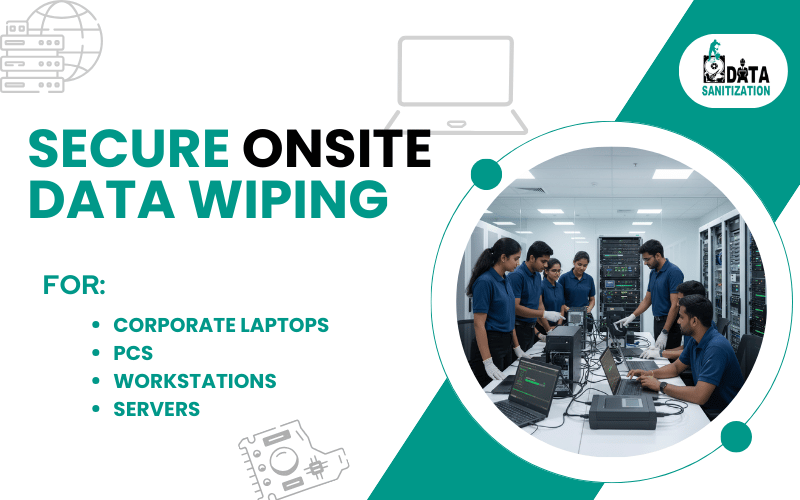
Need Onsite Data Sanitization Services?
Do you want Data Sanitization Services to be provided at your location? No worries!! We got it covered. Our team members will be appointed to finish the job at your location after you book the appointment with us. Please feel free to contact us.