Every day, businesses replace laptops, desktops, servers, storage arrays and other IT equipment as part of technology upgrades. While replacing hardware improves performance, it also creates a major security challenge—how do you permanently erase sensitive data before the devices leave your organization?
Simply deleting files or formatting a hard drive is not enough. In many cases, deleted information can still be recovered using advanced recovery tools. Customer databases, financial records, employee files, contracts and confidential business documents may remain accessible if storage devices are not sanitized correctly.
This is where disk wipe software plays an important role. It securely erases information from storage devices, helping organizations prepare equipment for reuse, resale, lease return or responsible disposal.
In this guide, you’ll learn how disk wiping works, compare popular software solutions, understand the difference between deleting and secure erasure and discover when businesses should choose a professional data erasure solution instead of relying only on software.
What Is Disk Wipe Software?
Disk wipe software is a specialized application designed to permanently erase information stored on digital storage devices.
Unlike ordinary file deletion, which simply removes references to files, disk wiping overwrites the storage space using secure erasure techniques. Once the process is verified, recovering the original information becomes extremely difficult using standard recovery methods.
Organizations commonly use disk wiping solutions for:
- Desktop computers
- Business laptops
- Hard Disk Drives (HDDs)
- Compatible Solid State Drives (SSDs)
- Enterprise servers
- External storage devices
- Storage arrays
- IT equipment scheduled for resale or redeployment
For businesses handling confidential information, secure data erasure is an essential part of responsible IT asset management.
Why Secure Data Erasure Matters
Old storage devices often contain more information than organizations realize.
Even after files are deleted, sensitive information may remain on the storage media if proper sanitization methods are not used.
Potential risks include:
- Customer data exposure
- Financial fraud
- Identity theft
- Loss of confidential intellectual property
- Regulatory penalties
- Reputational damage
Whether you are upgrading office computers or decommissioning an entire data center, securely erasing stored information helps reduce these risks while protecting your organization’s reputation.
How Disk Wipe Software Works
Professional disk wiping software securely removes information by overwriting the storage media according to recognized data erasure techniques.
Unlike deleting files, the software processes the storage device itself rather than individual folders or documents.
Many enterprise solutions also provide:
- Erasure verification
- Detailed reports
- Audit logs
- Device tracking
- Centralized management
- Batch processing for multiple systems
These features make enterprise disk wiping software particularly useful for organizations managing large numbers of storage devices.
Delete vs Format vs Disk Wiping
Many users assume these three methods are identical, but they provide very different levels of protection.
Method | Security Level | Device Reusable |
Delete Files | Low | Yes |
Quick Format | Low | Yes |
Full Format | Moderate | Yes |
Secure Disk Wiping | High | Yes |
Physical Destruction | Maximum | No |
If your organization plans to reuse or resell equipment, secure disk wiping is usually a better choice than physical destruction because the hardware remains usable after successful sanitization.
Best Disk Wipe Software in 2026
Choosing the right solution depends on your environment, compliance needs and the number of devices you manage.
Some widely recognized options include:
Software | Suitable For | Highlights |
KillDisk | Enterprise | Certified wiping, audit reports, centralized management |
Disk Wipe | Personal & Small Business | Free, easy to use, basic secure erasure |
Manufacturer Secure Erase Utilities | SSDs | Built-in secure erase functions for supported drives |
Enterprise Disk Erasure Platforms | Large Organizations | Multi-device deployment, reporting, verification |
Instead of choosing software based only on cost, evaluate reporting capabilities, device compatibility, ease of deployment and verification features.
Free vs Enterprise Disk Wiping Solutions
Free disk wiping tools are suitable for occasional personal use, but business environments usually require more advanced capabilities.
Free Tools
Best for:
- Home users
- Personal computers
- Small numbers of devices
Limitations:
- Basic reporting
- Limited automation
- No centralized management
- Minimal compliance support
Enterprise Solutions
Designed for:
- Businesses
- Government organizations
- Healthcare providers
- Financial institutions
- Educational organizations
- Data centers
Enterprise solutions typically include advanced reporting, centralized administration, verification logs and scalable deployment features.
HDD vs SSD Data Erasure
Different storage technologies require different sanitization methods.
Hard Disk Drives (HDDs)
HDDs store information magnetically and can often be securely sanitized using certified overwrite methods before being reused or resold.
Solid State Drives (SSDs)
SSDs use flash memory rather than magnetic storage. Because of their design, dedicated secure erase methods are generally more appropriate than traditional overwrite techniques.
Selecting the correct method helps ensure both effective sanitization and long-term device reliability.
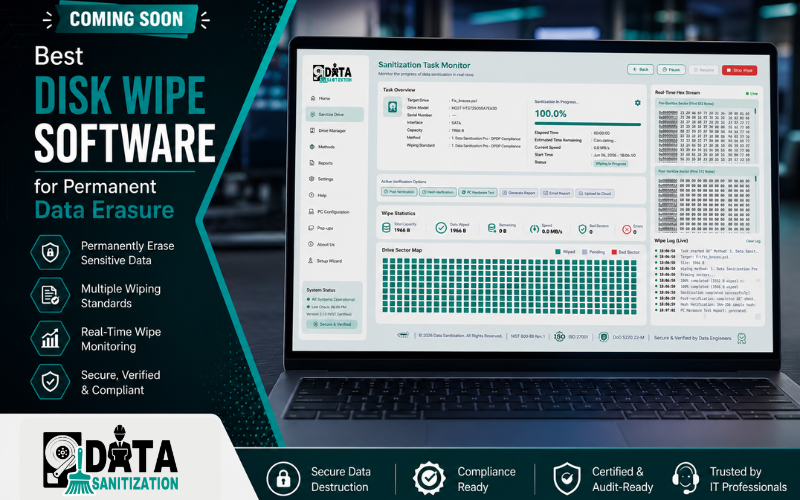
Upcoming Enterprise Disk Wipe Software from Data Sanitization
As organizations manage increasingly large volumes of retired IT assets, they need faster, more intelligent and better-documented data erasure solutions.
To support these evolving requirements, Data Sanitization is developing its own enterprise-grade Disk Wipe Software.
The upcoming platform is being designed to help organizations simplify large-scale storage sanitization while improving verification, reporting and operational efficiency.
Planned capabilities include:
- Secure HDD and SSD data erasure
- Multi-device wiping
- Centralized management
- Automated verification
- Audit-ready reports
- Enterprise deployment
- Support for IT Asset Disposition (ITAD) projects
- Integration with data center decommissioning workflows
Our goal is to provide businesses with a reliable solution that combines ease of use, security and compliance for modern IT environments.
When Should Businesses Choose Professional Data Erasure?
While disk wipe software is an excellent option for many organizations, there are situations where professional assistance offers greater security, better documentation and improved operational efficiency.
A professional data erasure solution is particularly valuable when businesses need to process large numbers of storage devices while maintaining complete visibility and compliance throughout the project.
Typical scenarios include:
- Office relocations
- IT infrastructure upgrades
- Laptop and desktop replacement projects
- Lease return programs
- Server refresh initiatives
- Data center decommissioning
- IT Asset Disposition (ITAD)
- Device resale or donation
- Business mergers and acquisitions
- End-of-life IT equipment disposal
Professional teams not only perform secure data erasure but also help with asset tracking, verification, reporting and responsible device management.
Disk Wipe Software vs Physical Destruction
Organizations often debate whether they should securely wipe storage devices or physically destroy them. Both methods have their advantages depending on business requirements.
Disk Wipe Software | Physical Destruction |
Permanently removes stored data while preserving the device | Permanently destroys both the device and its data |
Suitable for equipment that will be reused or resold | Best for media that will never be reused |
Helps maximize hardware value | Eliminates any possibility of hardware recovery |
Supports sustainable IT asset management | Requires responsible recycling after destruction |
If a storage device still has business value, secure wiping is usually the preferred option. Physical destruction is generally reserved for damaged devices or situations where organizational policies require complete hardware destruction.
Disk Wipe Software vs Degaussing
Another common question is whether organizations should choose disk wipe software or degaussing.
Disk Wipe Software | Degaussing |
Uses software to securely erase data | Uses a powerful magnetic field to destroy magnetic data |
Suitable for many HDDs and compatible SSD erase methods | Effective only for magnetic storage media such as HDDs and tapes |
Allows hardware reuse after successful sanitization | Often renders magnetic drives unusable |
Ideal for redeployment, resale or lease return | Commonly used when media will be permanently retired |
The right method depends on the storage technology, reuse plans and organizational security requirements.
Data Erasure and Media Sanitization Best Practices
Choosing the right software is only one part of a successful data sanitization strategy. Organizations should also follow documented processes that ensure every storage device is securely handled from collection through final verification.
A well-managed project typically includes:
- Complete asset inventory
- Secure device identification
- Appropriate erasure method selection
- Verification of successful sanitization
- Audit-ready reporting
- Secure chain of custody
- Certificate of Data Destruction (where applicable)
- Responsible recycling or redeployment
Following established media sanitization practices helps organizations reduce security risks while supporting internal governance and compliance objectives.
How to Choose the Best Disk Wipe Software
With so many options available, selecting the right solution requires more than comparing prices.
Before making a decision, consider:
Device Compatibility
Ensure the software supports the storage devices used within your organization, including HDDs, SSDs, laptops, desktops, servers and external drives.
Verification Features
Look for solutions that verify successful erasure rather than simply reporting that the process has finished.
Reporting
Comprehensive reports and audit logs make it easier to demonstrate that storage devices have been securely sanitized.
Ease of Deployment
Organizations managing hundreds or thousands of devices benefit from centralized management and automation.
Scalability
Choose software that can grow alongside your business rather than requiring replacement as your environment expands.
Vendor Support
Reliable technical support and regular software updates are essential for enterprise environments.
Why Organizations Trust Data Sanitization
Secure data erasure is about more than running software. It requires planning, documentation, verification and the right technical expertise.
Data Sanitization helps organizations securely retire storage devices through structured and professionally managed data erasure solutions designed for modern IT environments.
Our services support:
- Business laptop sanitization
- Desktop computer erasure
- HDD and SSD sanitization
- Enterprise server data erasure
- Storage system sanitization
- IT Asset Disposition (ITAD)
- Data center decommissioning
- Secure media sanitization
- Audit-ready reporting
- Certificate of Data Destruction
- Responsible IT asset retirement
Introducing Our Upcoming Enterprise Disk Wipe Software
To meet the growing demand for secure, scalable and easy-to-manage data erasure, Data Sanitization is launching its own Enterprise Disk Wipe Software.
The platform is being developed for organizations that require fast, secure and well-documented storage sanitization across multiple devices.
Planned Features
- Secure HDD data wiping
- SSD secure erase support
- Multi-device wiping
- Centralized dashboard
- Batch processing
- Automated verification
- Detailed erasure reports
- Audit-ready documentation
- Enterprise deployment
- IT Asset Disposition (ITAD) support
- Data center decommissioning workflows
- Easy-to-use interface for IT administrators
Our objective is to provide organizations with a reliable enterprise solution that simplifies data erasure while supporting security, compliance and operational efficiency.
Stay connected with Data Sanitization for product announcements, feature updates and launch details.
Conclusion
Selecting the best disk wipe software is about more than finding a tool that erases files—it’s about choosing a solution that protects sensitive information, supports compliance and fits your organization’s long-term IT asset management strategy.
Whether you’re preparing laptops for resale, retiring enterprise servers or managing a large-scale technology refresh, secure data erasure helps reduce security risks while extending the value of your IT investments.
For organizations that require expert guidance, structured workflows or enterprise-scale sanitization, Data Sanitization provides professional data erasure solutions backed by experienced specialists and comprehensive documentation. In addition, our upcoming Enterprise Disk Wipe Software is being developed to give businesses a powerful, easy-to-manage platform for secure HDD and SSD sanitization, centralized management, verification reporting and IT Asset Disposition projects.
Contact Data Sanitization
🌐 Website: www.datasanitization.in
📧 Email: support@datasanitization.in
📞 Phone: +91-852-770-9690
Ready to securely erase your business data? Contact Data Sanitization today to learn more about our professional data erasure solutions and stay updated on the launch of our upcoming enterprise disk wipe software.
Frequently Asked Questions
1. Is deleting files enough before selling a computer?
No. Deleting files or formatting a drive does not always remove the underlying data. Secure disk wiping provides a much higher level of protection.
2. Can disk wipe software erase SSDs?
Many SSDs support secure erase methods, but the correct approach depends on the drive’s technology and manufacturer recommendations.
3. Is disk wiping better than formatting?
Yes. Formatting prepares a storage device for use, while disk wiping is designed specifically for secure data erasure.
4. Can I reuse a hard drive after disk wiping?
Yes. If the sanitization process is successfully completed and the hardware is functioning properly, the drive can often be safely reused or resold.
5. Is disk wiping part of IT Asset Disposition (ITAD)?
Yes. Secure data erasure is an important step in many IT Asset Disposition projects before equipment is redeployed, resold, recycled or retired.
Need Onsite Data Sanitization Services?
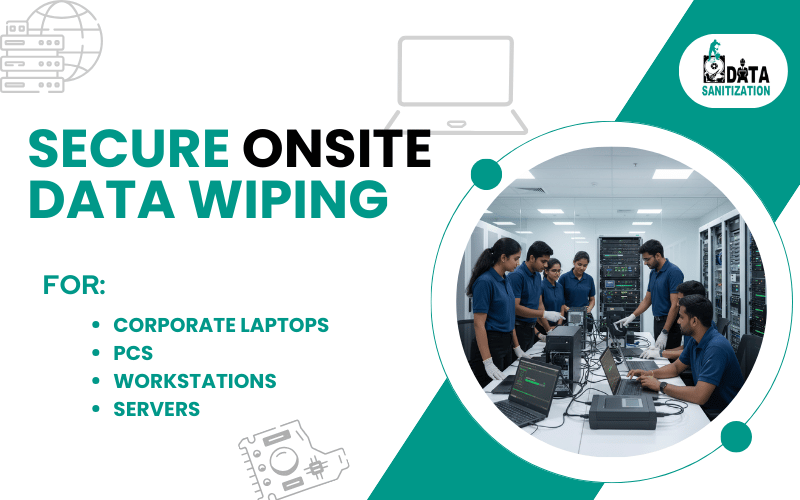
Do you want Data Sanitization Services to be provided at your location? No worries!! We got it covered. Our team members will be appointed to finish the job at your location after you book the appointment with us. Please feel free to contact us.