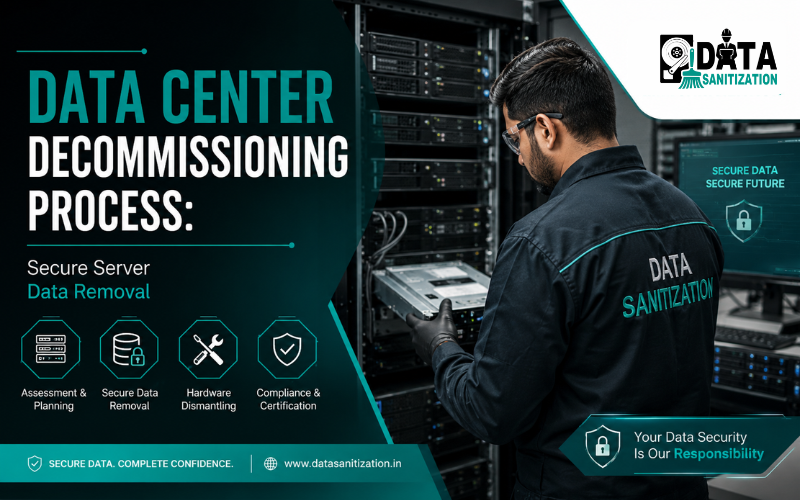
Modern businesses rely on data centers to store and manage critical business information. From customer databases and financial records to cloud applications and enterprise workloads, data centers power day-to-day operations across almost every industry.
However, every data center eventually reaches the end of its lifecycle. Businesses may move to the cloud, upgrade infrastructure, consolidate facilities, relocate operations or retire aging equipment. When this happens, simply unplugging servers and removing hardware is not enough. A structured data center decommissioning process is essential to protect sensitive information, maintain regulatory compliance and minimize operational risks.
Without proper planning, retired servers, storage arrays, backup devices and networking equipment may still contain confidential data that can be recovered if not securely erased. This creates serious cybersecurity, legal and financial risks.
This guide explains the complete data center decommissioning, highlights the importance of secure server data removal and shares best practices for organizations planning a safe and compliant infrastructure retirement.
What Is Data Center Decommissioning?
Data center decommissioning is the structured process of retiring an existing data center or part of its infrastructure. It involves safely shutting down systems, removing hardware, sanitizing stored data, dismantling equipment, disposing of retired assets and documenting every stage of the project.
Unlike a standard office relocation, data center decommissioning requires careful coordination because enterprise environments often contain thousands of interconnected devices, including:
- Physical servers
- Blade servers
- Storage Area Network (SAN) systems
- Network Attached Storage (NAS)
- Backup appliances
- Tape libraries
- Hard drives and SSDs
- Network switches
- Firewalls
- Routers
- Power distribution units
- Server racks
- UPS systems
Every component must be identified, tracked and securely processed to prevent data leakage and maintain business continuity.
Why Data Center Decommissioning Is Important
Many organizations focus on installing new infrastructure but underestimate the importance of retiring old equipment securely. Improper decommissioning can leave sensitive business information exposed, increase compliance risks and create unnecessary operational costs.
A well-planned decommissioning project helps organizations:
- Protect confidential business information.
- Prevent unauthorized data recovery.
- Meet regulatory and contractual obligations.
- Reduce cybersecurity risks.
- Support IT asset lifecycle management.
- Recover value from reusable equipment.
- Ensure environmentally responsible e-waste recycling.
- Simplify audits with proper documentation.
Whether an organization is upgrading a single server room or closing an entire enterprise data center, secure decommissioning protects both information and reputation.
When Should You Decommission a Data Center?
Several situations may require data center decommissioning, including:
Cloud Migration
Many organizations migrate workloads to public, private or hybrid cloud environments. Once applications and data have been transferred successfully, legacy infrastructure should be securely retired.
Infrastructure Modernization
Older servers often consume more power, require frequent maintenance and deliver lower performance. Replacing outdated hardware improves efficiency while reducing operating costs.
Business Expansion
Organizations may consolidate multiple facilities into one centralized data center to improve management and reduce infrastructure costs.
Office Relocation
Businesses moving to a new location often decommission existing server rooms before installing new infrastructure.
End-of-Life Equipment
Manufacturers eventually discontinue hardware support. Retiring unsupported servers helps reduce security vulnerabilities and maintenance expenses.
The Complete Data Center Decommissioning Process
A successful data center decommissioning project involves much more than removing equipment. Each phase should follow a structured workflow to ensure security, compliance and operational efficiency.
1. Project Planning
Every project begins with a detailed assessment of the existing infrastructure. IT teams identify project objectives, define timelines, assign responsibilities and evaluate potential risks before any equipment is removed.
Planning also includes identifying business-critical applications and creating contingency plans to minimize downtime.
2. Asset Discovery and Inventory
One of the most important steps is creating a complete inventory of all IT assets.
This typically includes:
- Servers
- Storage arrays
- SAN and NAS systems
- Backup devices
- Network hardware
- Hard drives
- SSDs
- Firewalls
- Routers
- Network cables
- Power equipment
Each asset should be labeled, documented and tracked throughout the decommissioning process. Maintaining an accurate inventory reduces the risk of lost equipment and simplifies compliance reporting.
3. Data Backup and Migration
Before removing any hardware organizations should verify that all required information has been successfully backed up or migrated to the new environment.
This stage includes:
- Database migration
- Virtual machine migration
- Application migration
- Backup verification
- Disaster recovery testing
- Business continuity validation
Skipping this step can result in permanent data loss and unexpected service interruptions.
4. Secure Server Data Removal
One of the most critical phases of the project is secure server data removal.
Servers often store highly confidential information, including customer records, financial data, intellectual property, employee information, application databases, system logs and authentication credentials.
Simply deleting files or formatting storage devices does not permanently remove this information.
Professional data sanitization ensures information cannot be recovered using standard recovery software or advanced forensic techniques.
Depending on business requirements, secure server data removal may include:
- Certified data wiping
- Secure erase procedures
- Media sanitization
- SSD data wiping
- Hard drive destruction
- Storage media shredding
- Cryptographic erase (where applicable)
Choosing the right method depends on the storage technology, compliance requirements and whether the hardware will be reused or permanently retired.
5. Certified Data Wiping vs Physical Data Destruction
Organizations often ask whether they should wipe storage devices or physically destroy them.
The answer depends on the future use of the hardware.
Method | Best For | Hardware Reuse |
Certified Data Wiping | Reuse, resale, redeployment | ✅ Yes |
Secure Erase | SSDs | ✅ Yes |
Hard Drive Shredding | Permanent retirement | ❌ No |
Physical Crushing | Highly confidential storage | ❌ No |
Certified data wiping permanently removes information while allowing organizations to maximize the value of reusable IT assets. Physical destruction is generally preferred for damaged drives or highly sensitive storage devices that will not be reused.
6. Rack, Network Equipment and Infrastructure Removal
Once all business-critical data has been migrated and storage devices have been securely sanitized, the physical decommissioning of the data center can begin. This stage involves carefully dismantling and removing the remaining infrastructure while ensuring equipment is tracked, protected and handled safely.
A professional data center decommissioning project typically includes the removal of:
- Server racks and cabinets
- Blade servers
- Network switches
- Routers and firewalls
- Storage Area Network (SAN) systems
- Network Attached Storage (NAS) devices
- Patch panels and structured cabling
- Power Distribution Units (PDUs)
- UPS systems and batteries
- Cooling equipment
- Backup appliances and tape libraries
Every asset should be labeled, documented and transported using secure handling procedures. Maintaining detailed inventory records throughout this stage reduces the risk of misplaced equipment and simplifies compliance reporting.
7. IT Asset Disposition (ITAD)
After servers and storage systems have been removed organizations must decide what happens to the retired hardware. This process is known as IT Asset Disposition (ITAD).
An effective ITAD strategy helps organizations:
- Protect confidential business information
- Recover value from reusable equipment
- Reduce electronic waste
- Support sustainability goals
- Maintain regulatory compliance
- Improve IT asset lifecycle management
Depending on the condition of the equipment, assets may be:
- Redeployed within the organization
- Refurbished for future use
- Resold through approved channels
- Donated after certified data wiping
- Recycled through authorized e-waste recyclers
- Physically destroyed if reuse is not appropriate
Combining professional IT asset disposal with certified data sanitization ensures that retired equipment is managed securely from start to finish.
8. Why Chain of Custody Matters
One of the most overlooked aspects of data center decommissioning is maintaining a secure chain of custody.
A chain of custody documents every stage of the asset handling process—from collection and transportation to data sanitization, destruction and final disposal. This creates a transparent record showing who handled each device, when it was processed and what actions were performed.
A well-managed chain of custody helps organizations:
- Prevent unauthorized access to storage devices
- Reduce the risk of lost or misplaced assets
- Support internal and external audits
- Demonstrate accountability during compliance reviews
- Provide confidence that sensitive information has been handled securely
For organizations managing hundreds or thousands of storage devices, maintaining this documentation is essential for enterprise security and governance.
9. Compliance and Secure Data Sanitization
Before any server, hard drive, SSD or storage array leaves the data center, the information stored on it should be permanently removed using recognized data sanitization methods.
Professional service providers follow established industry practices to ensure data cannot be recovered after the decommissioning process. This is particularly important for organizations handling customer information, financial records, healthcare data, research documents or confidential business information.
Secure server data removal may include:
- Certified data wiping
- Media sanitization
- Secure erase procedures
- SSD data wiping
- Hard drive destruction (when required)
- Verification and reporting
Organizations also benefit from detailed documentation, including sanitization reports and Certificates of Data Destruction, which support compliance, audits and internal record-keeping.
10. Common Data Center Decommissioning Mistakes
Even well-planned projects can encounter problems if critical steps are overlooked. Some of the most common mistakes include:
- Failing to create a complete asset inventory
- Removing equipment before verifying data backups
- Using ordinary file deletion instead of certified data wiping
- Overlooking backup tapes or legacy storage devices
- Ignoring failed hard drives that still contain sensitive information
- Not maintaining a secure chain of custody
- Choosing vendors without proven decommissioning experience
- Disposing of equipment without proper documentation
- Failing to recycle retired hardware responsibly
Avoiding these mistakes helps protect sensitive information while reducing operational and compliance risks.
Data Center Decommissioning Checklist
Before completing your project, ensure the following tasks have been completed:
✅ Create a detailed project plan
✅ Prepare a complete inventory of all IT assets
✅ Back up and verify critical business data
✅ Complete application and workload migration
✅ Perform certified data sanitization on storage devices
✅ Verify successful data removal
✅ Remove servers, racks and networking equipment
✅ Maintain a documented chain of custody
✅ Dispose of retired assets through an approved ITAD process
✅ Recycle equipment responsibly
✅ Collect audit reports and Certificates of Data Destruction
This checklist helps organizations complete projects efficiently while maintaining security and compliance throughout the decommissioning process.
Why Choose Data Sanitization?
Successfully retiring a data center requires more than removing hardware—it requires careful planning, secure server data removal, certified data sanitization and responsible IT asset disposal.
Data Sanitization provides professional data center decommissioning services for businesses, enterprises, government organizations, healthcare providers, educational institutions, financial organizations and data centers across India.
Our services include:
- Data Center Decommissioning
- Secure Server Data Removal
- Certified Data Wiping
- Server Data Destruction
- SAN & NAS Storage Sanitization
- SSD Data Wiping
- Hard Drive Data Destruction
- IT Asset Disposition (ITAD)
- Storage Media Sanitization
- Data Center Equipment Disposal
- Certificate of Data Destruction
- Audit-Ready Documentation
Why Organizations Choose Us
- Trusted Since 2010
- Certified Data Erasure Processes
- Secure Data Sanitization
- NIST 800-88 Aligned Procedures
- 100% Confidential Process
- PAN India Service Coverage
- Enterprise-Grade Solutions
- Responsible E-Waste Recycling Support
- Experienced Technical Team
- Global Client Support
Whether you are retiring a server room, consolidating infrastructure or shutting down a large enterprise data center, our experts deliver secure, compliant and professionally managed decommissioning solutions.
Conclusion
A successful data center decommissioning project is about much more than removing old servers. It requires careful planning, accurate asset tracking, secure server data removal, certified data sanitization, responsible IT asset disposition and comprehensive documentation. By following a structured process organizations can protect sensitive information, meet compliance requirements, recover value from reusable assets and support sustainable technology practices.
If your business is planning a data center shutdown, infrastructure modernization or server retirement project, Data Sanitization provides secure, enterprise-grade decommissioning solutions tailored to your operational and compliance needs.
Contact Data Sanitization
Website: www.datasanitization.in
Phone: +91-852-770-9690
Email: support@datasanitization.in
Protect your business with secure data center decommissioning, certified server data removal and professional data sanitization services designed for today’s enterprise IT environments.
Frequently Asked Questions (FAQs)
1. What is data center decommissioning?
Data center decommissioning is the structured process of retiring IT infrastructure, securely removing data, dismantling equipment and disposing of assets in a safe and compliant manner.
2. Why is secure server data removal important?
Servers often contain confidential business information. Secure data removal helps prevent unauthorized access and reduces the risk of data breaches.
3. What is the difference between data migration and data center decommissioning?
Data migration transfers information to a new environment, while decommissioning involves securely retiring and disposing of the old infrastructure after migration is complete.
4. Can servers be reused after certified data wiping?
Yes. If the hardware is in good condition, certified data wiping allows servers and storage devices to be safely reused, resold or redeployed.
5. What is IT Asset Disposition (ITAD)?
ITAD is the secure management of retired IT equipment through reuse, resale, recycling or responsible disposal after sensitive data has been permanently removed.
6. What is a Certificate of Data Destruction?
It is a document confirming that data has been securely erased or destroyed using approved procedures, providing evidence for audits and compliance.
Need Onsite Data Sanitization Services?
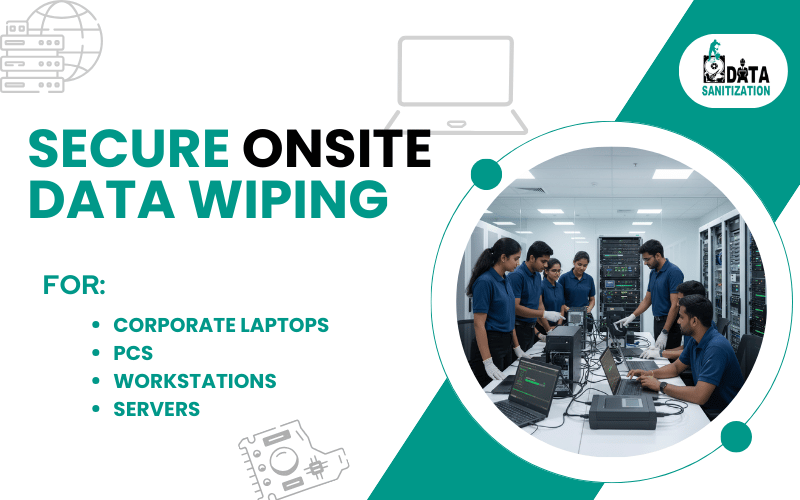
Do you want Data Sanitization Services to be provided at your location? No worries!! We got it covered. Our team members will be appointed to finish the job at your location after you book the appointment with us. Please feel free to contact us.