USB flash drives are used everywhere in India. Pen drives, thumb drives, jump drives and USB sticks are common in offices, government departments, schools, hospitals and businesses. These small devices often carry sensitive data such as official documents, client files, reports, personal records and financial information.

Many people search online for how to wipe a USB drive, how to erase a flash drive or how to clear a USB drive. Most of them delete files or format the device and assume the data is gone. This is a serious mistake. If you want to protect your data properly, you must understand why these basic methods fail and what secure USB data wiping really means.
Why USB Drives are the “Shadow IT” Security Nightmare of 2026
While enterprise focus often stays on cloud security and server firewalls, the humble USB drive remains one of the most significant—and ignored—security vulnerabilities. In 2026, as India’s DPDP Act reaches full enforcement, an unmanaged thumb drive is no longer just a convenience; it is a potential ₹250 Crore liability.
The “Flash Memory” Problem
Most users believe that dragging files to the trash or performing a “Quick Format” makes a USB drive safe for reuse or disposal. This is a dangerous misconception. USB drives use flash memory controllers that employ “wear-leveling” to extend the life of the device. This process often scatters fragments of sensitive data into “over-provisioned” or “hidden” blocks that standard formatting tools simply cannot see. Forensic recovery in 2026 has become so advanced that even a “zero-filled” drive can sometimes reveal data patterns to specialized laboratory equipment.
Compliance Beyond the Desktop
Under the Digital Personal Data Protection (DPDP) Act 2023, “Data Fiduciaries” are obligated to ensure reasonable security safeguards for all digital personal data. If a lost or discarded USB contains customer PII (Personally Identifiable Information), your organization is legally responsible for the breach. “I thought I formatted it” is not a valid legal defense.
Moving to NIST-Certified Sanitization
To achieve true audit-readiness, your organization must move from DIY methods to NIST 800-88 compliant sanitization. This professional standard ensures:
Total Data Purge: Using firmware-level commands to reach every hidden sector of the flash storage.
Audit-Ready Documentation: A serialized Certificate of Destruction that proves compliance to regulators and stakeholders.
Risk Transfer: Moving the burden of security from your IT staff to a certified sanitization workflow.
Don’t let a ₹500 thumb drive lead to a multi-crore fine. Professional sanitization is the only way to ensure your “Right to Erasure” obligations are met with 100% certainty.
What Does It Mean to Wipe a USB Drive Securely?
Wiping a USB drive securely means removing stored data in a way that it can never be recovered again. A proper USB flash drive wipe clears information from visible files, deleted data, hidden areas and unused memory blocks.
Secure wiping applies to all removable USB storage, including pen drives, thumb drives and jump drives. When done correctly, the USB device becomes safe for reuse, resale, donation or disposal without risking data leakage.
Why Deleting Files or Formatting a USB Drive Is Not Enough

This does not work because deleting files only removes access to data, not the data itself. Formatting rebuilds the file system but leaves old information stored on the flash memory. Because of this, recovery tools can easily restore files from a formatted or cleared USB drive.
This is why deleting or formatting does not qualify as secure USB data removal.
How Data Can Still Be Recovered from USB Flash Drives
USB flash drives use non-volatile flash memory. This memory keeps data even when the device is unplugged. Flash memory also uses wear-levelling, which spreads data across different memory blocks.
Due to this design:
- Old data blocks may remain untouched
- Partial overwriting leaves information behind
- Hidden or reserved areas still contain data
Even a USB drive that looks empty or clean may still expose sensitive information if not wiped correctly.
Common DIY USB Wiping Methods and Their Limitations
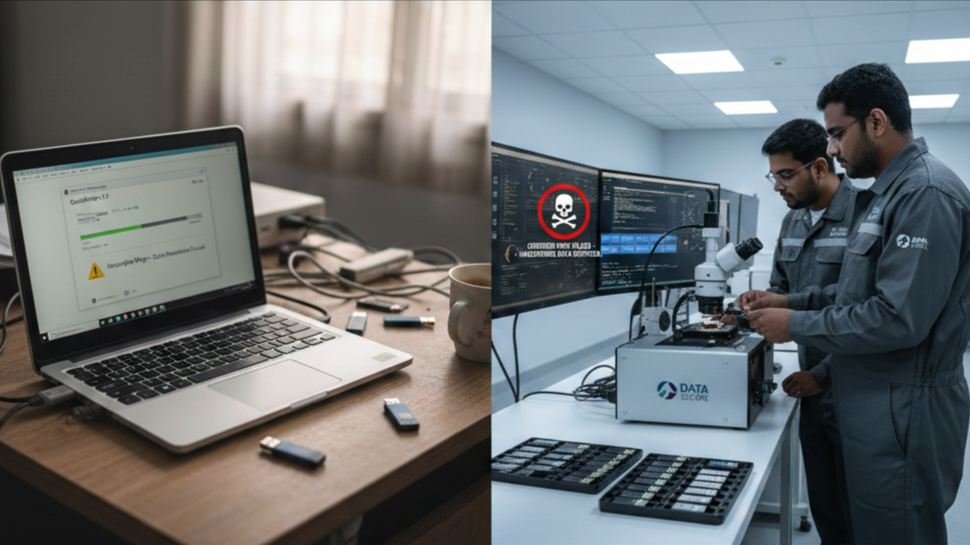
Most DIY tools are designed for internal hard drives, not flash-based USB devices. They often fail to wipe hidden memory areas, do not verify erasure and provide no proof that data is actually removed. Some bootable wiping tools can even corrupt the USB device while leaving recoverable data behind.
This is why DIY attempts to clean a USB drive or erase data from a flash drive often fail.
How to Wipe a USB Drive Securely the Right Way
To securely wipe a USB drive, the erasure process must be flash-aware and verified. Professional USB data wiping uses certified tools that communicate directly with the USB controller and cover the entire memory space.
A secure USB wiping process includes:
- Full flash memory coverage
- Secure overwrite or cryptographic erasure
- Verification after wiping
- Detailed erasure reporting
Only this approach ensures that no recoverable data remains on the device.
How to Completely Remove Data from a USB Flash Drive

Complete data removal ensures:
- No data remanence
- No forensic recovery
- Safe reuse or recycling
This level of erasure cannot be achieved using free tools or basic formatting methods.
USB Flash Drive Not Working or Corrupted – Is Data Still There?
A common belief is that if a USB flash drive is not working, corrupted or not detected, the data is already gone. This is not true.
Even when:
- A USB flash drive is not working
- The device shows corruption
- The flash drive is not detected
Data may still be recovered directly from the memory chip. That is why damaged USB drives must also be securely wiped or professionally destroyed before disposal.
Secure USB Wipe vs USB Drive Destruction
| Method | Data Recovery | Device Reuse |
| Secure USB wipe | Not possible | Yes |
| USB drive destruction | Not possible | No |
Secure wiping is preferred when the USB device is functional and can be reused. Physical destruction is used when wiping is not possible or when data sensitivity is extremely high.
Why DIY USB Wiping Is Risky for Indian Organizations

DIY USB wiping may seem acceptable for personal use, but it creates serious risks for organizations. Indian businesses, government offices, hospitals and financial institutions are expected to protect sensitive data properly.
Improper USB data handling can lead to:
- Data leakage
- Compliance violations
- Legal penalties
- Loss of trust
Professional USB data sanitization helps organizations avoid these risks.
Professional USB Flash Drive Wiping for Compliance
Certified USB data wiping ensures verified and documented data removal. It provides audit-ready reports and certificates that prove the erasure process was completed correctly.
This is important during:
- Employee exit processes
- IT asset disposal
- Device resale or donation
- Data center decommissioning
Why Choose Data Sanitization for USB Drive Wiping

Data Sanitization provides professional and certified USB data wiping services across India. With more than 15 years of experience and 2800+ clients, we help organizations safely remove data from USB flash drives, pen drives and thumb drives.
Our services include secure USB flash drive wiping, bulk USB sanitization, verification testing, certificates of data destruction and sustainable ITAD practices that reduce e-waste while protecting sensitive information.
Contact Information
Phone: +91-852-770-9690
Email: support@datasanitization.in
Website: www.datasanitization.in
Final Words
Understanding how to wipe a USB drive securely is essential today. DIY methods may look easy, but they often leave recoverable data behind.
For real security, compliance and peace of mind, certified USB data sanitization is the safest and most reliable solution.